Photivo

About Photivo

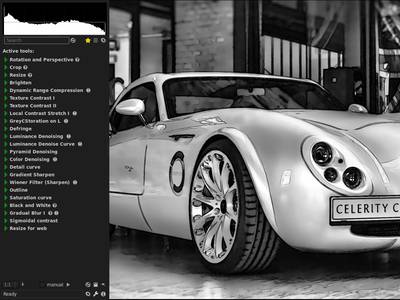
Photivo is a free and open source (GPL3) photo processor. It handles your RAW files as well as your bitmap files (TIFF, JPEG, BMP, PNG and many more) in a non-destructive 16 bit processing pipe with gimp workflow integration and batch mode.

Photivo tries to provide the best algorithms available; even if this implies some redundancy. So, to my knowledge, it offers the most flexible and powerful denoise, sharpen and local contrast (fake HDR) algorithms in the open source world. (If not, let's port them ;-)) Although, to get the desired results, there may be a quite steep learning curve ;-).

Photivo is just a developer, no manager and no “Gimp”. It is intended to be used in a workflow together with digiKam/F-Spot/Shotwell and Gimp. It needs a quite strong computer and is not aimed at beginners.
Want to help improving Photivo? We have a list of easy programming tasks that are great as a starting point. If you're not into coding you could help to get a translation. If you feel confident enough with Photivo, you could also help improving the documentation.

More information

Features

  • 16-bit internal processing, color managed with LCMS2.
  • Gimp workflow integration (import and export)
  • Works with RAWs and Bitmaps (8 bit bitmaps are transformed and processed with 16 bit, which usually gives better results).
  • CA correction, Green equilibration, line denoise, badpixel reduction, wavelet denoise, median filters on RAW data.
  • Perspective correction (tilt and turn), distorsion and geometry (also defish) correction
  • Demosaicing: Bilinear, VNG, VNG4, PPG, AHD, DCB, mod. AHD, VCD, LMMSE, AMaZE (needs work!).
  • RGB, R, G, B, L*, a*, b*, Texture, Detail, Denoise, Hue, Saturation, L* by Hue, Base curve.
  • Tonemapping (Reinhard 05 (RGB Brighten), Fattal et al. (Dynamic range compress)).
  • Several local contrast filters (HiRaLoAm (Local contrast), texture contrast, local contrast stretch).
  • Sharpen (Edge avoiding wavlets, USM, Highpass, Inverse diffusion, Wiener filter, Gradient sharpen).
  • Denoise, seperately on Luminance and Color (Edge avoiding wavelets, GreyCStoration, Wavelet, Masked bilateral, Pyramid) and via a hue or luminance sensitive denoise curve.
  • Adaptive saturation.
  • Film grain simulation.
  • Black and white conversion.
  • (Split) Toning.
  • Cross processing.
  • Gradual overlay (like Cokin(R) GND filters).
  • Vignetting.
  • Softglow / Orton.
  • Texture overlay (external texture)
  • Fake tilt/shift, toy effect
  • Batch mode
  • Translations: Dutch, French, German, Italian and Russian.

There are quite some possibilities, the best is to try them and to see what the personal preferences are ;-)

Major current issues

  • AMaZE is off and needs work. Avoid it for the moment.
Print/export